
Running Containers
Running containers doesn't mean you're tied to using Docker. Instead, you can adhere to the standards set by the Open Container Initiative (OCI), which outlines a universal standard for container runtime specifications called the OCI runtime-spec. This initiative also offers a reference implementation for a container runtime, known as runC. runC is a foundational tool used by many in the industry, including Docker, to start containers.
Understanding Containers with a Programming Analogy:
If you're familiar with object-oriented programming, think of a container image as a class, and a running container as an instance of that class. This analogy helps illustrate the relationship between container images (the blueprint) and running containers (the realization of that blueprint).
Starting Containers with Docker:
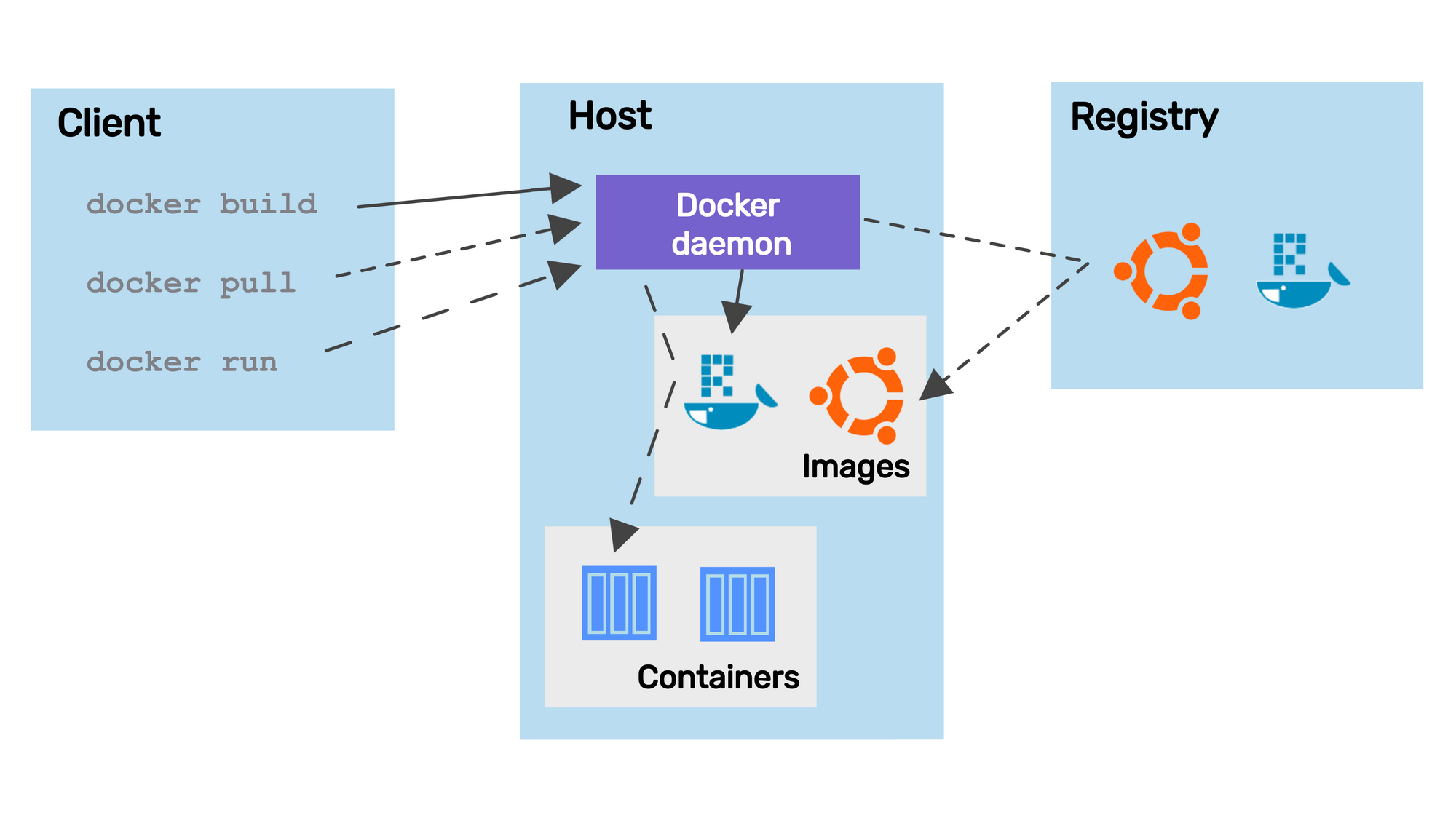
For those who use Docker, starting a container is straightforward. For example, running an Nginx web server container is as simple as typing:
Exploring the OCI Standards:
The OCI's runtime-spec works closely with the image-spec, guiding how container images are unpacked and managed throughout their lifecycle—this includes creation, starting, stopping, and deletion of containers.
Alternatives to Docker:
For those working on local machines, there are numerous Docker alternatives, including:
Buildah and Kaniko: Focus on building container images.
Podman: Offers a Docker-like experience and can be used as a direct replacement. It boasts additional features, such as the ability to run containers without needing root privileges and supporting the Pod concept, which we'll discuss further.
Podman, in particular, stands out by providing a similar API to Docker, making it an easy switch for those familiar with Docker commands. Its support for running containers without root privileges enhances security and system integrity, appealing to users and organizations prioritizing security.
Last updated