
Running Container in Kubernetes
Running containers on Kubernetes is a bit different from running them on your local machine. Let’s explore how Kubernetes manages containers, focusing on the concept of Pods, the involvement of various components, and the flexibility in choosing container runtimes through the Container Runtime Interface (CRI).
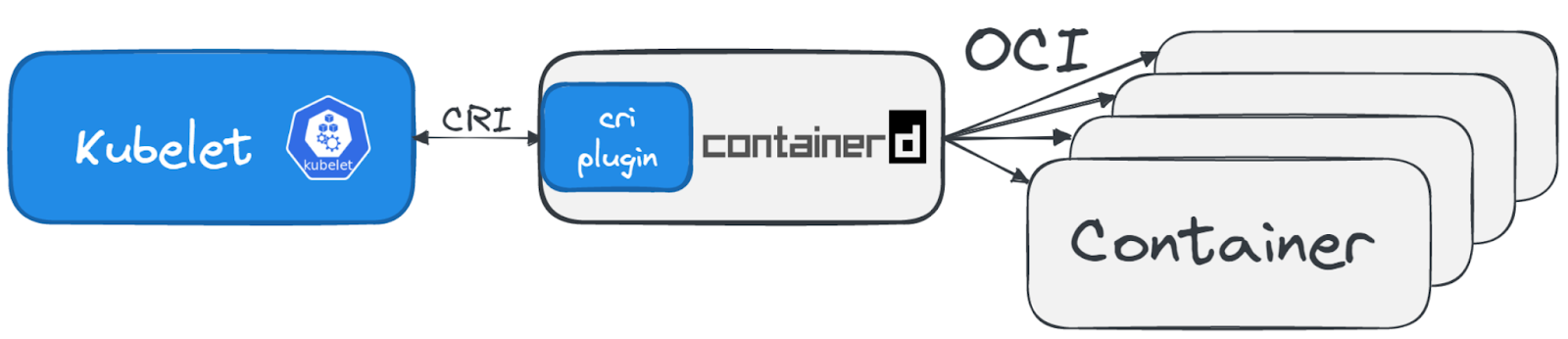
Containers on Kubernetes vs. Local Machine:
Local Machine: Directly starting and managing containers using Docker or another container runtime.
Kubernetes: Containers are not started directly. Instead, you define Pods, which Kubernetes translates into running containers.
The Concept of Pods:
What Is a Pod? Think of a Pod as a wrapper or a small package for one or more containers. It’s the smallest deployable unit in Kubernetes, providing a shared context (like networking) for the containers it wraps.
From Pod Creation to Running Containers:
When you create a Pod in Kubernetes, it goes through several steps before it actually starts running on a node. Here’s a high-level overview:
Pod Definition: You define your Pod, typically via a YAML file, specifying what containers it should run and how they should operate.
Scheduling: Kubernetes decides on which node the Pod should run, based on resources, affinity rules, and other factors.
Container Runtime: With the help of the Container Runtime Interface (CRI), Kubernetes communicates with the chosen container runtime (like containerd or CRI-O) to start the containers defined in the Pod.
Container Runtime Interface (CRI):
Introduced in 2016, CRI allows Kubernetes to use different container runtimes without being tied to any specific one, enhancing flexibility and choice. Let’s look at a few options:
containerd: Known for being lightweight and efficient, containerd is widely used across major cloud providers. It’s designed to offer just the essentials for running containers but can integrate with sandboxing tools for enhanced security.
CRI-O: Developed by Red Hat, CRI-O is closely related to Podman and Buildah, focusing on simplicity and alignment with Kubernetes’ needs.
Docker: While Docker was the standard for a long time, Kubernetes has moved away from using Docker directly due to its orchestration-oriented design needs. Starting with Kubernetes 1.24, Docker is no longer used as the runtime.
Enhancing Security with Runtime Sandboxing:
Both containerd and CRI-O can work with sandboxing tools to address the security challenges of sharing the host kernel among containers:
gvisor: Developed by Google, gvisor acts as an application kernel, providing an additional layer between the container and the host kernel.
Kata Containers: Offers the isolation of a lightweight VM while maintaining the speed and flexibility of a container.
Running containers on Kubernetes involves defining Pods, choosing a suitable container runtime through CRI, and possibly leveraging sandboxing tools for security. This process underscores Kubernetes’ flexibility and power in orchestrating containerized applications across a cluster.
Last updated